Ready to Copy Office Lunch and Learn Ideas Backed by Evidence

The most effective lunch and learns pair a focused 30 to 50 minute learning objective with an interactive element, either a structured discussion or a hands-on activity, and treat food as part of the plan rather than an afterthought. The best quick formats are an expert talk followed by guided discussion, a hands-on micro-workshop, or a short demo with live Q&A. Whatever format you pick, keep it short, make it participatory, and include remote staff with a gift card or a clear video platform plan.
TL;DR:
Active, hands-on formats like micro-workshops and structured discussions are three times more effective for retention than passive lectures and improve long-term learning.
Incorporating quick polls, breakout discussions, and retrieval quizzes at intervals boosts engagement and helps reinforce key takeaways during the session.
Successful sessions should be kept to 30-50 minutes, include clear objectives, and be participatory, with remote staff engaged through gift cards or video platform plans.
Food options that facilitate inclusion include pre-arranged group platters for in-person, boxed meals for varied dietary needs, and e-gift cards for remote attendees.
Selecting topics that balance business goals with employee interests and surveying staff beforehand increases relevance and attendance over time.
Table of Contents
1. Quick ready-to-run lunch and learn activities
You don’t need a big budget or weeks of planning to run a session people remember. These templates fit inside a standard lunch hour and can be copied straight into a calendar invite.
Skill swap talk: One employee teaches a work skill for 15 minutes, followed by 15 minutes of guided discussion. Low prep, works in-person or virtual.
Rapid-fire Q&A with a guest expert: A specialist takes questions submitted in advance plus live ones. Medium prep, works in any format.
Book or article breakdown: Someone summarizes a business book chapter in 10 minutes, then the group discusses application. Low prep, best virtual or hybrid.
Cross-department show and tell: A team demos a project or tool for 20 minutes with live questions. Medium prep, in-person or hybrid.
Hands-on micro-workshop: A facilitator runs a short demo, then attendees practice a skill in pairs. Medium to high prep, best in-person.
Wellness reset session: A guided stretching or breathing exercise followed by a short talk on stress management. Low prep, all formats.
Trivia-style retrieval quiz: Three to five multiple-choice questions on a prior topic, run as a poll. Low prep, best virtual.
Customer story session: A sales or support rep shares a real client interaction and lessons learned. Low prep, all formats.
Budgeting or finance basics: A finance team member walks through a practical budgeting exercise. Medium prep, in-person or hybrid.
Creative art demo: A facilitator leads a short hands-on art activity, such as a henna design demonstration, with guided practice. Medium prep, best in-person.
New tool walkthrough: IT or ops demos a new system feature with a live practice task. Medium prep, works in any format.
Mini debate: Split the group into two sides on a work-relevant question for structured back and forth. Low prep, all formats.
For any of these, build in a poll question at the ten-minute mark, a breakout discussion prompt near the middle, and a two-question retrieval quiz at the end to check what stuck.
Pro Tip: Send the discussion prompts in the calendar invite so attendees arrive ready to talk instead of cold.

2. How do you run in-person, virtual, and hybrid sessions?
Each format needs its own checklist to avoid awkward silences or lopsided participation.
In-person: Arrange seating so everyone faces the speaker and each other, test the AV setup beforehand, time food distribution to happen before the talk starts, and have discussion materials printed or on screen.
Virtual: Use built-in polling and breakout rooms, set clear chat norms so questions don’t get buried, and send remote employees a lunch gift card ahead of the session.
Hybrid: Assign a dedicated moderator to watch the chat and call on remote voices, use a single shared screen for slides so both rooms see the same thing, and rotate who gets to ask the first question between in-person and remote attendees.
Whatever the format, build the run-of-show backward from a hard stop at 50 minutes so people can get back to their desks on time, per hosting guidance from Shopify’s lunch and learn guide.
3. Choosing topics that match your team’s goals
Good topics balance what the business needs with what people actually want to attend. Group them into a few categories and rotate.
Professional skills: time management, difficult conversations, public speaking. Best presenter: an internal manager or L&D lead. Sample outline: 10-minute talk, 20-minute small-group practice, 10-minute share-back.
Wellness and mental health: stress management, sleep habits, burnout prevention. Best presenter: an HR representative or outside wellness coach. Sample outline: 15-minute talk, 15-minute guided exercise, 10-minute open discussion.
Creative and hands-on: cooking demos, art-based workshops like a henna design session, DIY craft basics. Best presenter: an outside facilitator with hands-on experience. Sample outline: 10-minute demo, 20-minute guided practice, 10-minute show and tell.
Product or role training: new feature walkthroughs, cross-team processes, customer feedback trends. Best presenter: the team that owns the product or process. Sample outline: 15-minute demo, 15-minute Q&A, 10-minute action items.
SHRM’s learning culture guidance recommends mixing skill-building sessions with lighter, personal-interest topics and surveying employees ahead of time to confirm relevance. When a topic needs more than an hour to cover properly, split it into a series or move it to a dedicated training day instead of cramming it into lunch.
4. Food and menu tips that boost attendance and inclusion
Food should remove friction, not add it. Group platters work well for in-person crowds on a set budget, individual boxed orders suit teams with varied dietary needs, and gift cards give remote employees the same perk without shipping logistics.
Ask about dietary restrictions when you send the invite, not the morning of.
Label dishes clearly for common allergens and vegetarian or vegan options.
Have food set out or delivered before the talk starts so eating doesn’t compete with listening.
For remote staff, e-gift cards or prepaid meal app credits are the simplest stand-in for a shared meal, a point echoed in Shopify’s guide to hosting these sessions.
5. How to measure success and improve future sessions
A short feedback loop tells you what to repeat and what to drop.
Send a three-question survey right after: was the topic relevant, was it useful, would you attend a follow-up session?
Track simple engagement metrics: attendance rate, average time in session, and how many people used chat or breakout rooms.
Use the results to crowdsource the next few topics and keep the cadence from going stale, an approach Fooda’s planning guide flags as the most reliable way to protect attendance over time. Practical tactics for keeping participation voluntary and steady are also covered in this audience engagement guide.
6. Why interactive, hands-on formats outperform straight lectures
Active training methods, including hands-on practice and structured discussion, are about three times more effective for building knowledge and skills than passive formats like a straight lecture, according to workplace training research.
A workplace study found that structured discussion and interpolated testing each improved long-term retention of video training significantly compared to watching alone, per research on workplace digital learning. That gap is the difference between a session people forget by Friday and one they still reference next month.
Three guided reflection questions, what surprised you, how will you apply it, and one action for the next 24 hours, followed by a short group share, turns passive listening into retained learning. From the science of learning research on structured discussion
Four techniques carry this into practice: drop a quick multiple-choice check into a talk every 10 minutes, run guided small-group discussion instead of open Q&A, follow any demo with a few minutes of guided practice, and close with a brief team reflection. Corporate workshops apply the same logic, pairing short instruction with immediate hands-on practice so the design skill actually sticks.
7. Lessons from running creative team workshops
A straight talk works when the goal is information transfer. A hands-on session, like a henna design workshop, works better when the goal is connection, focus, or a mental reset from the desk. The biggest pacing lesson: give people permission to get their hands dirty early, because the calm of a repetitive creative task often opens up better conversation than any icebreaker question does.
— Angana
8. A turnkey creative workshop option for lunch and learns
Teams that want an experiential lunch and learn without building a session from scratch have a direct option. Some providers run henna events and private henna lessons, and offer corporate workshops built specifically for groups that want a low-prep, hands-on hour that still feels like a break from the desk. Rather than assembling slides and discussion prompts, organizers hand the creative and facilitation side to a working artist and let the team focus on showing up and trying something new.
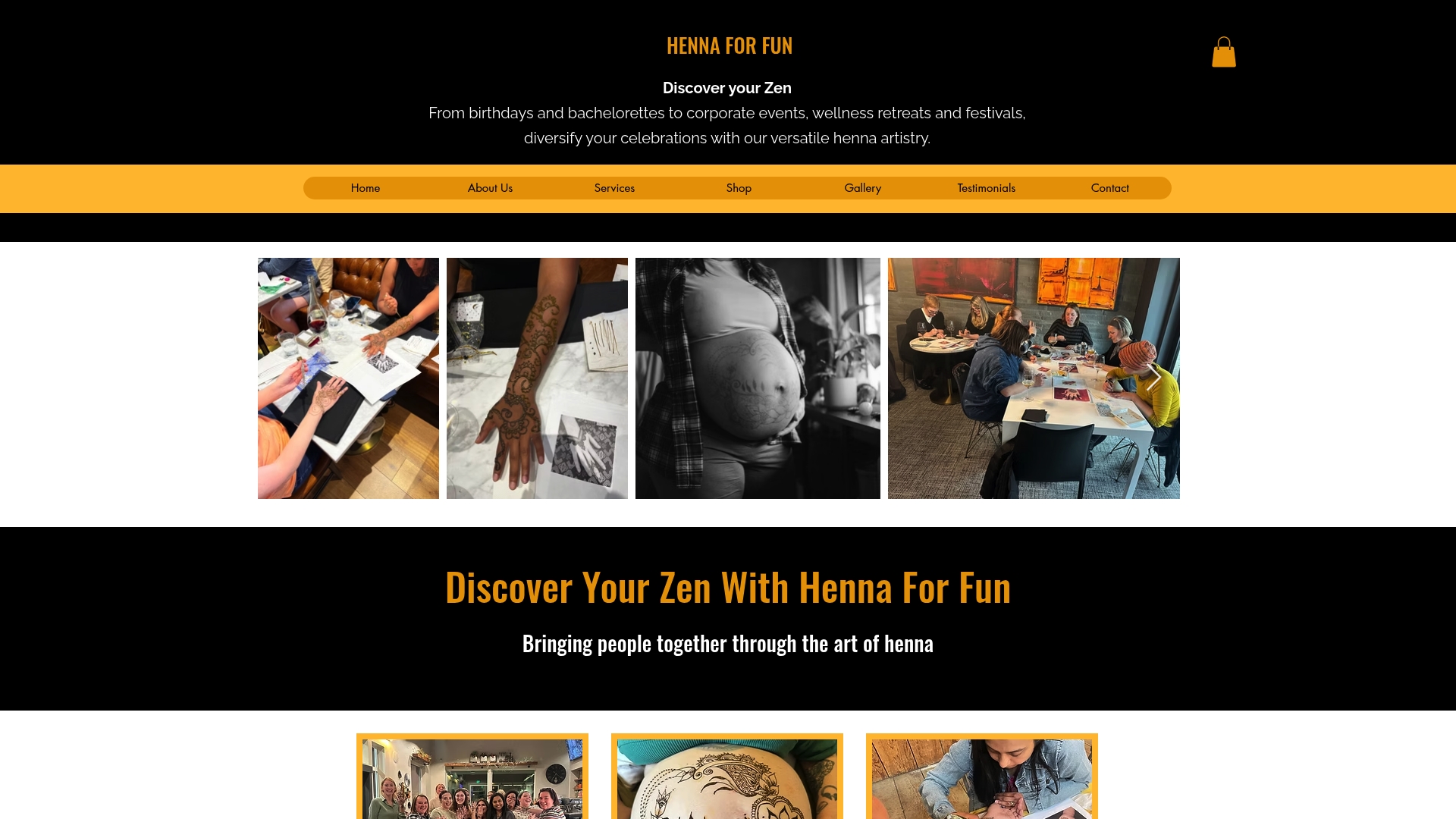
This fits teams looking for art-based bonding over another lecture-style session, and it works whether you’re planning a one-off team lunch or a recurring wellness-adjacent series. Check available dates and formats on the corporate workshops page to see what fits your group size and lunch hour.
Sources
FAQ
What are good office lunch ideas?
Group platters work well for in-person teams on a fixed budget, while individual boxed meals handle mixed dietary needs more cleanly. For remote employees, e-gift cards or prepaid meal app credits stand in for a shared meal without shipping issues, a tip echoed in Shopify’s hosting guide.
What to do at a lunch and learn?
Combine a short expert talk or demo with an interactive element like structured discussion, a quick retrieval quiz, or a hands-on practice segment. Keeping the session between 30 and 50 minutes and building in a poll or breakout discussion keeps attention from drifting.
What are some good lunch menu ideas for the office?
Rotate between group platters, individually boxed meals, and food delivery gift cards depending on group size and how many attendees are remote. Always confirm dietary restrictions when sending the invite so no one is scrambling to find something to eat.
What makes a good lunch and learn session?
A good session has a clear learning objective, stays inside 30 to 50 minutes, and includes an interactive piece such as guided discussion or hands-on practice rather than a straight lecture. Surveying employees beforehand about topics they actually want, a step SHRM’s guidance treats as critical, keeps attendance and relevance high.
Recommended
Comments